
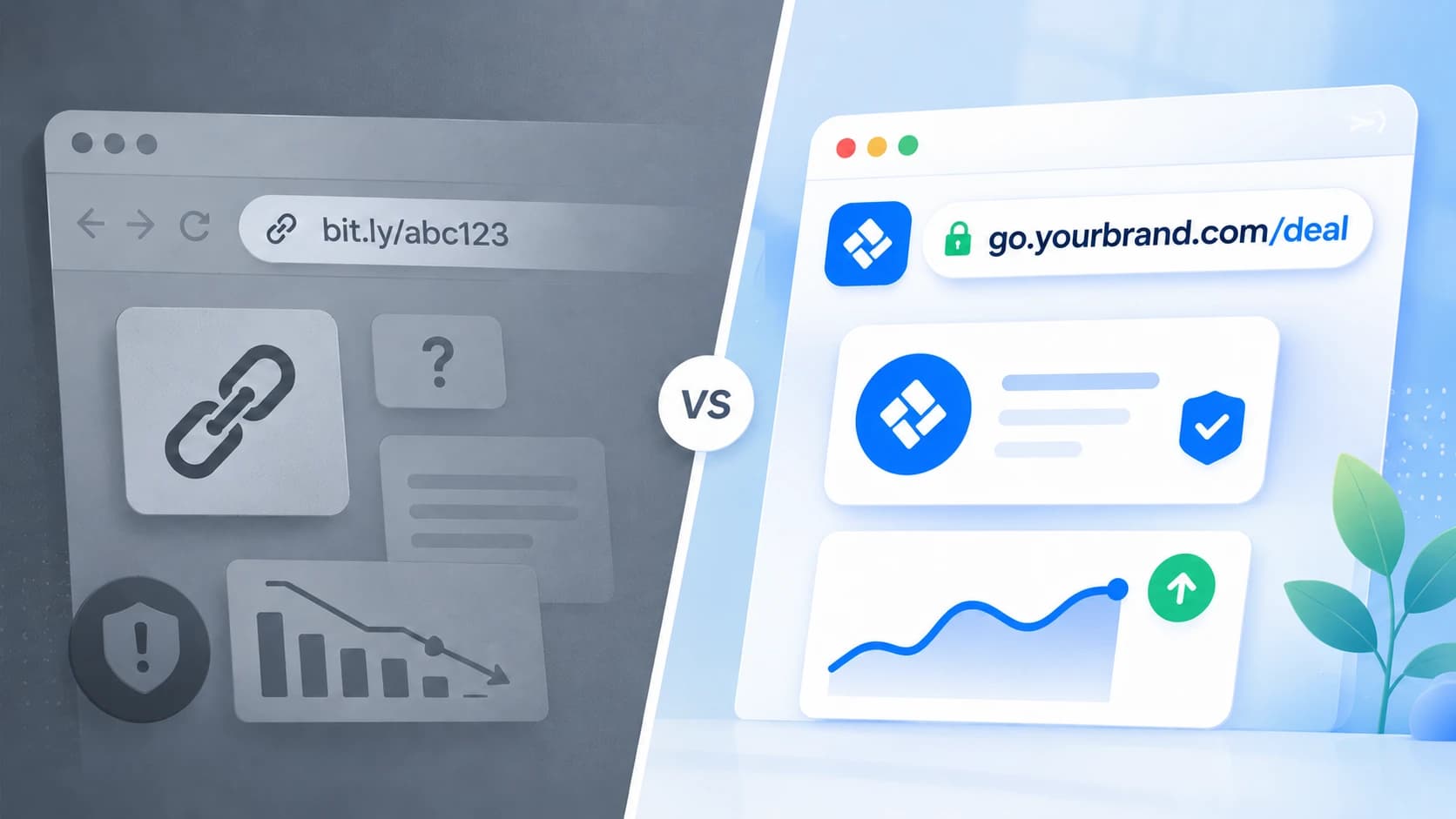
Shortened URLs are useful when a full destination URL is too long to share, difficult to remember, or filled with campaign-tracking parameters. The main decision is not simply whether to shorten a link. It is whether the shortened link should use a third-party domain such as:
https://bit.ly/4fK8xQ2\
or a domain associated with your business:
go.yourbrand.com/summer-sale
Both links can redirect visitors to the same page. The difference is what the person sees before clicking and how much control your business has over the link.
What is a Bitly link?
A standard Bitly link uses the bit.ly domain followed by a generated or customized ending:
https://bit.ly/4fK8xQ2
Its obvious advantage is convenience. You can paste a long URL into Bitly and quickly receive a shorter version that is easier to share.
This can be sufficient when:
- the link is being used temporarily;
- brand presentation is not important;
- the audience already expects a Bitly link;
- you only need occasional link shortening;
- the link is being shared internally.
The limitation is that bit.ly identifies the link-shortening provider rather than the business sharing the link. A customer receiving the URL cannot identify its owner from the domain alone. They must rely on the surrounding message, sender, or context to decide whether the link is relevant and trustworthy.
What is a custom short link?
A custom short link uses a domain owned or controlled by your business. For example:
go.yourbrand.com/pricing
links.yourbrand.com/demo
yourbrnd.co/summer-sale
It normally contains two recognizable parts:
- A branded domain, such as
go.yourbrand.com - A descriptive path, such as
/summer-sale
The link still redirects visitors to a longer destination URL, but the visible address remains connected to your brand. You can use a subdomain of your existing website, such as go.yourbrand.com, or purchase a separate short domain.
The key differences
| Area | Standard Bitly link | Link on your own domain |
|---|---|---|
| Visible domain | bit.ly | Your brand or company domain |
| Brand recognition | Limited | Immediately recognizable |
| Setup | Usually immediate | Requires domain and DNS setup |
| Link destination | Redirects to your chosen URL | Redirects to your chosen URL |
| Descriptive link ending | Can be available | Can be controlled by your business |
| Domain ownership | Bitly owns the domain | Your business owns or controls the domain |
| Best suited for | Quick or occasional sharing | Customer-facing and repeat campaigns |
The right choice depends on how the link will be used. A temporary internal link has different requirements from a URL displayed in an advertisement, email campaign, presentation, QR code, or printed brochure.
Brand recognition before the click
The domain is one of the few pieces of information a person can evaluate before opening a link. Consider these two URLs in a campaign from a company called "Coffee Rocket":
https://bit.ly/4fK8xQ2
go.coffeerocket.com/product-demo
The second link communicates more before it is clicked. The recipient can identify the company and understand that the destination is probably related to a "Coffee Rocket" product demo. This is especially useful when links are shared outside your website, including:
- email newsletters;
- social media posts;
- sales messages;
- partner campaigns;
- presentations;
- printed materials;
- QR codes.
A recognizable link does not guarantee that someone will click it. It simply removes some of the friction and uncertainty created by an unfamiliar domain and random character sequence.
Clearer campaign links
A short link does not need to end with an automatically generated value. Instead of: go.yourbrand.com/a8Fd21 you can use:
go.yourbrand.com/webinar
go.yourbrand.com/winter-sale
go.yourbrand.com/linkedin-guide
A descriptive ending makes the link easier to recognize, communicate, and manage. For example, a salesperson can say:
Visit
go.yourbrand.com/demo
That is easier to remember than a random shortened URL and more practical when the link must be spoken aloud, shown during a presentation, or printed on physical material.
Descriptive paths should remain concise. Their purpose is to identify the destination or campaign, you don't need to recreate the full page title.
Control over the domain
When you use a standard bit.ly URL, the visible domain belongs to Bitly. When you use your own domain, the domain remains part of your company’s digital infrastructure. You control its registration, DNS configuration, and branding. This distinction matters when links become long-term business assets.
A campaign URL may appear in:
- old newsletters;
- downloadable documents;
- social media profiles;
- printed brochures;
- product packaging;
- customer onboarding material;
- partner websites.
The longer a link is expected to remain in circulation, the more valuable domain control becomes.
However, owning the domain does not automatically make the links independent from the link-management platform. Before choosing a provider, check what happens to existing redirects if you cancel the service or move the domain elsewhere.
Analytics and campaign tracking
Both generic and branded shortened links can provide click analytics, depending on the platform and plan being used. Useful link-level data may include:
- total clicks;
- unique visitors;
- traffic over time;
- referring websites;
- visitor countries;
- browsers and devices;
- QR code scans.
These metrics help answer whether people interacted with a shared link. They do not replace website analytics or conversion tracking. For example:
- link analytics can show that 500 people clicked;
- website analytics can show what those visitors did afterward;
- conversion tracking can show how many completed a valuable action (e.g. purchase or signup)
For reliable campaign reporting, add UTM parameters (or other tracking parameters) to the destination URL before shortening it. The visible link remains clean while the destination retains the information needed by your analytics platform.
Organizing links across campaigns
Generic shorteners work well for creating individual links quickly. Problems often appear when a company accumulates hundreds of them. Without a clear system, teams may create:
- old links pointing to expired offers or 404 pages
- inconsistent campaign names & tracking parameters
- spreadsheet mess for all of the campaigns
Using your own domain creates a consistent foundation, but the domain alone does not solve link-management problems.
You still need practical naming rules. For example go.yourbrand.com/channel-campaignor go.yourbrand.com/campaign-audience
The exact convention matters less than applying it consistently.
Your link-management platform should also make it possible to search, filter, group, edit, and review links without relying on a separate spreadsheet.
When a standard Bitly link is enough
A generic Bitly link remains a practical choice when you need to shorten something quickly and do not need the URL to represent your brand. It may be enough for:
- internal communication;
- temporary documents;
- one-off personal sharing;
- testing links;
- low-priority campaigns;
- situations where the visible URL is unlikely to affect the recipient.
There is little benefit in adding domain configuration and campaign management to a link that will be used once by a small internal team. The simpler option is often the best choice when the link has little customer-facing or long-term value.
When your own domain makes more sense
Links on your own domain are a stronger fit when URLs are part of regular customer communication. Consider using them when:
- links are shared in marketing campaigns, emails and social media;
- you want customers to see your brand before clicking;
- links appear in advertisements or printed materials;
- you need consistent UTM/campaign tracking;
- links must remain recognizable over time;
- several employees create and manage URLs;
- you manage links for several campaigns or clients.
The benefit becomes more significant as the number, visibility, and lifespan of your links increase.
Can you use a custom domain with Bitly?
Yes. The comparison is not limited to “Bitly or a custom domain.”
Bitly provides custom-domain functionality on eligible plans, allowing businesses to replace the default bit.ly domain with one they control.
The broader decision is therefore between:
- using Bitly’s default domain;
- connecting your domain to Bitly;
- connecting your domain to another link-management platform.
When comparing platforms, review more than the link format. Consider:
- the number of domains you can connect;
- monthly link limits;
- analytics retention;
- UTM/Campaign tracking management;
- QR code support;
- team access;
- link-editing options;
- export capabilities;
- pricing as your usage grows.
Choose the platform based on how you need to manage your links, not only on whether it can shorten them.
Custom short links or Bitly links: which should you choose?
Use a standard Bitly link when speed and convenience are the main requirements.
Use your own domain when the link is part of your brand, campaign tracking, or customer experience.
A generic link is often adequate for occasional sharing. A branded domain becomes more valuable when your business repeatedly publishes links across campaigns, channels, and physical materials.
The practical question is:
Does this link only need to be shorter, or should it also be recognizable, measurable, and manageable?
For customer-facing campaigns, the second option usually provides more long-term value.
Create branded links with Ownlink.app
Ownlink helps you create, organize, and track shortened links using your own domain.
Connect a branded domain, create readable campaign URLs, add tracking parameters, and review link performance from one place.
Instead of sharing: https://bit.ly/4fK8xQ2 you can sharego.yourbrand.com/summer-sale